This article is about modifying the Samsung boot logo and the boot animation of Samsung Exynos phones.
Warning
Modifying the boot logo requires unlocking the bootloader and installing a custom recovery (aka rooting your phone) which will permanently trip your knox warranty bit, taking away Secure Folder, Samsung Pay, Samsung Health and Samsung Pass permanently. You will also lose your access to Google Wallet, RCS and any other app that requires Play Integrity. If you aren’t experienced in android modding, then this guide is probably not for you
Requirements
- A rooted Samsung phone with an Exynos chipset, in this guide I will be use an A51
- A custom recovery, such as TWRP, or LineageOS recovery
To verify that your phone has an exynos chipset, you can go on GSMArena and search for your phone, however some phones, such as the S24 can have multiple chipsets based on the region, in that case you can use an app, such as Athena and check the SOC’s Model under Device.
Extracting the boot logo off of the phone
If you are using TWRP, running
$ adb shell
on your computer should work fine, if you are using LineageOS’s recovery, you may need to use LineageOS’s recovery built in engineering build variant (eng) and enable ADB.
First, make sure that the up_param partition exists on your phone by running
$ adb shell
a51:/ # file /dev/block/by-name/up_param
if this says /dev/block/by-name/up_param is a symbolic link to ... then you are fine.
If it says /dev/block/by-name/up_param: no such file or directory, then this will not work on your phone.
Then pull up_param off of your phone by running
$ adb pull /dev/block/by-name/up_param up_param.tar
then make a backup of up_param in case you want to go back to the stock boot logo (you can also flash the stock rom).
2nd, open up_param.tar in 7-zip under windows, or any competent archive explorer under linux,
the contents of the archive should look something like this:
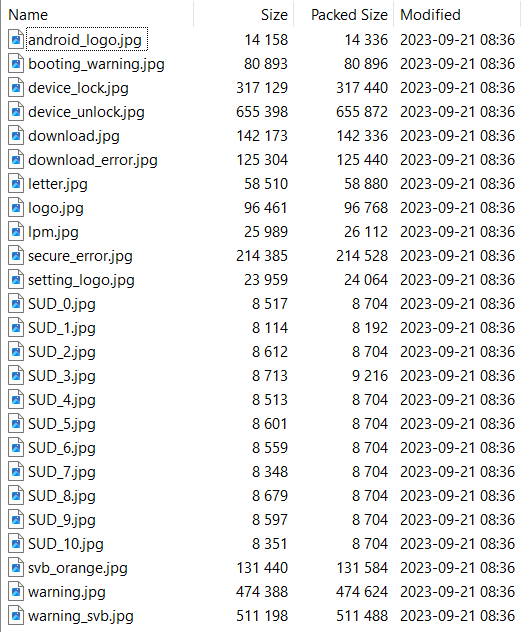
The files of interest to us are svg_orange.jpg which contains the “Bootloader is unlocked” message,
logo.jpg which contains the Sasmsung Galaxy blah blah “secured” by knox and booting_warning.jpg
which contains the warning message when not running stock android
(if you want to extract the assets from up_param.tar using 7zip and modify them yourself, then make sure
to uncheck “Read only” in the file’s properties after extarcting it).
Replacing the boot logo
Now download the boykisser versions of the assets (I tried to make them look close to the ones that are here):

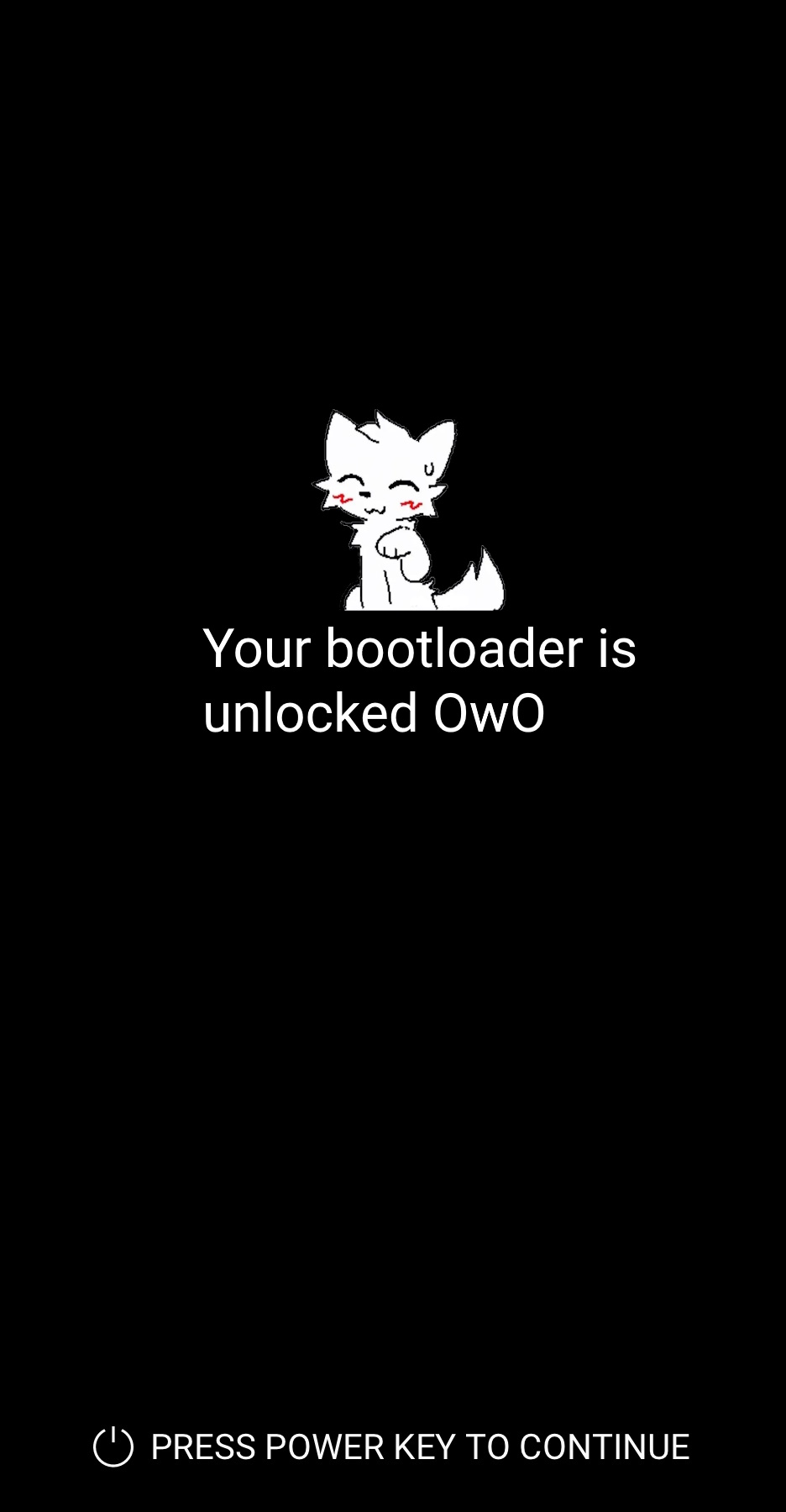

then replace the files inside up_param.tar with the new files by dragging them over (and also make sure that the new up_param.tar file’s size does not exceed the size of the original).
Now you can either write back up_param.tar to the phone by running
$ adb push up_param.tar /
$ adb shell
a51:/ # dd if=/up_param.tar of=/dev/block/by-name/up_param
or flash it using odin, then do a reboot, if everything went right, you should have the boykisser boot logo.
Sidenote: Displaying “Powered by Android” is actually a requirement in order to be Google Play Certified
Replacing the boot animation
This can be done either via adb running as root, or a file explorer (like MiX) running with root privileges.
The bootanimation.zip file should be located under /product/media/bootanimation.zip under LineageOS and other modern
AOSP based roms, make a backup of it in case you want to restore it to stock, and replace it with this
bootanimation.zip
Lockscreen wallpaper
The lockscreen wallpaper is the 3rd picture from here